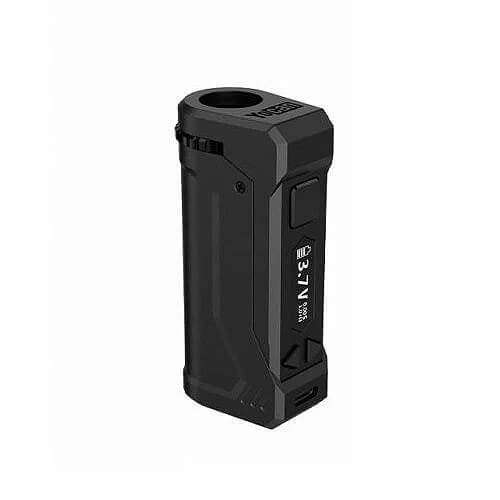
Quick Start Insert the cartridge: Attach your oil cartridge to the 510-threaded magnetic adapter. Then, place it in the chamber. Turn on the device: Press the power button five times to turn the device on or off. Adjust the Voltage: Use the OLED display and side buttons to adjust the voltage. You can fine-tune it to match your oil cartridge for the best results. Start Vaping: Once you’ve set your preferred voltage, press and hold the power button to begin using the device. Charging: When battery life is low, connect the micro USB cable to charge. The OLED screen will display the charging status. Frequently Asked Questions 1. On a full charge, how long does the battery of the Yocan Uni Pro 2.0 typically last? The battery life depends on your voltage settings and frequency of use. On average, the Uni Pro 2.0 lasts through over 100 sessions on a single charge, more than the original Yocan Uni. 2. What type of oil cartridges are compatible with the Yocan Uni Pro 2.0 box mod vaporizer? It supports most 510-threaded oil cartridges, including pre-filled cartridges. The adjustable height and width features allow it to fit a wide range of sizes. 3. How will I know when the Yocan Uni Pro 2.0 has finished charging? The OLED display will show a full battery icon when charging is complete. Typically, it takes a couple of hours to fully charge via the USB C port. 4. Is the Yocan Uni Pro 2.0 box mod vaporizer compatible with any cartridges besides oil ones? The designers specifically designed the Uni Pro 2.0 for oil cartridges. Using other types of cartridges may not provide the intended results. 5. What materials are used in the construction of the Yocan Uni Pro 2.0 vaporizer’s body? The maker builds the Yocan Uni Pro 2.0 from zinc alloy. This material makes it strong and long-lasting for daily use.